
Create a Crown Coins Casino Account
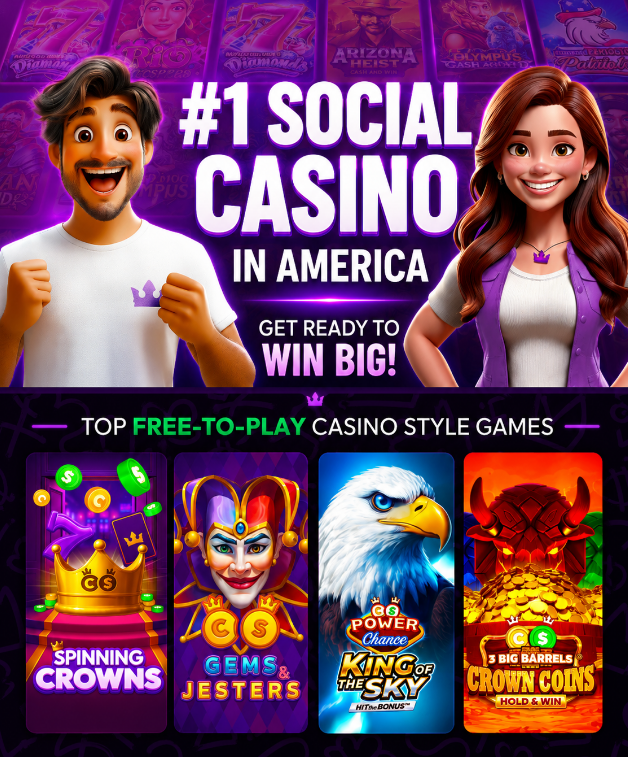
Create a Crown Coins Casino account only after checking age, location and Terms eligibility. The account record is used for access, offers, coin balances, mobile play, support messages and any later redemption checks, so the details entered during setup should be accurate from the start.
No purchase is necessary, and Crown Coins Casino does not offer real-money gambling. Still, the same account may later show Crown Coins and Sweeps Coins, current offers, verification prompts or redemptions, so account setup should not be treated as a casual form with no follow-up checks.
Use a working email, follow the account prompt, avoid duplicate accounts and keep access details safe. After the account is created, the next practical step is to log in and check the account area for messages, balances, offers and any required confirmations.
Before You Create An Account
Account setup controls more than first access. It creates the account record that can later affect offers, Crown Coins packages, Sweeps Coins, mobile access, verification requests, support checks and redemption status.
Before creating an account, review the Terms and make sure the information you enter can be used again if support or verification asks for it later. If the account is created with unclear details, the issue may not appear until a promotion, login, verification or redemption step needs to match that record.
What The Account Controls
The account is where active offers, coin balances, support messages and future account checks appear. It also connects site access with the CrownCoins Casino iOS app where that app route is supported.
That is why setup should happen through the official site or official app route, not through third-party pages, APKs or unofficial app listings.
What To Check First
- Review age and location eligibility before starting setup.
- Use a real email address that you can access later.
- Enter account details consistently, because they may matter for future checks.
- Understand Crown Coins and Sweeps Coins before relying on offers or redemptions.
- Do not create extra accounts to work around restrictions.
- Check the Terms again before using redemptions or no-purchase routes.
Eligibility And Location Checks
Eligibility is the first real condition of account creation. Crown Coins Casino can require age, location and Terms checks before access, offers or redemption-related actions are available.
Why Terms Matter First
The Terms govern account use, eligibility and account restrictions. They are also the safest place to check whether your location and account status allow you to continue.
Because availability can depend on location and the phrase “void where prohibited” applies, the page should not be treated as a guarantee that every state or region is eligible.
When Location Can Block Access
If the account flow stops, restricts access or does not show an expected action, check the Terms and any account message before contacting support. A location issue should be handled through the official account and support route, not by changing devices, using a workaround or creating another account.
| Check | Why It Matters | Where To Confirm |
|---|---|---|
| Age eligibility | The account must meet the age rules that apply to access and play. | Terms and account prompt. |
| Location eligibility | Availability can depend on where the account is used. | Terms, account flow or Customer Support. |
| Account status | Offers, redemptions and verification can depend on the same account record. | Account area and support messages. |
Details That Must Match
The details entered at sign-up should match the information you can later confirm. This matters because account verification may be required before a prize redemption or when the account asks for extra checks.
Email And Account Records
Use an email address you control and can open again. Password recovery, account messages, support replies and verification instructions can all depend on that email.
If account details change or appear incorrect, update them through the account or support route instead of creating a second account.
Duplicate Account Risk Checks
Duplicate accounts can create confusion around eligibility, offers, balances and support requests. They can also make future verification harder because the account record may not match the user’s real access history.
- Do use one consistent account record.
- Do keep the account email available for future support checks.
- Do follow account prompts if details need confirmation.
- Do not create a second account to repeat an offer.
- Do not use another person’s details for your own account.
- Do not treat registration as a way to bypass account verification.
Sign-Up Steps And Confirmation
The safest sign-up flow is simple: use the official site, check eligibility, enter accurate details and complete the account prompt shown to you. Exact button names or screen labels can change, so the sequence matters more than a fixed interface label.
Use The Official Site
Start only from the official Crown Coins Casino site or the official iOS app route. Avoid third-party instructions that promise shortcuts, extra bonuses, APK downloads or location workarounds.
Confirm The Account Prompt
After entering your details, follow the account prompt and save the information needed to access the account again. If setup does not complete, use normal support steps instead of repeating registration with different information.
- Open the official site or supported official app route.
- Check age, location and Terms eligibility before entering details.
- Enter a working email and consistent account information.
- Complete any account confirmation shown in the flow.
- Save your login details securely.
- After setup, log in and check account messages, balances and offers.
Offers After Account Creation
Current offers may appear after account creation, but sign-up itself should not be treated as a fixed bonus promise. Offer amounts, timing, eligibility and terms can change, so the account or offer card is the place to check the current value.
Where Current Offers Appear
After account setup, check current offers inside the account before relying on any amount or condition. If an offer has a code, expiry rule or eligibility condition, the visible offer card and Terms control the next step.
No-Purchase Offer Boundaries Explained
No purchase is necessary, and no-purchase routes should be checked through the Sweeps Policy, account messages or current promotional terms. A phrase like “free Sweeps Coins” should not be treated as “free money,” and it should not be linked to a guaranteed redemption.
| Offer Area | What To Check | What Not To Assume |
|---|---|---|
| Welcome or account offer | Current amount, expiry and eligibility in the offer card. | Do not assume the same amount is always active. |
| free Sweeps Coins | No-purchase route, account message or Sweeps Policy. | Do not treat free SC as unlimited or guaranteed. |
| Crown Coins package | Package contents before purchase. | Do not describe it as a deposit bonus. |
| Promo code | Whether the account or offer card asks for one now. | Do not rely on old or third-party code lists. |
Mobile Sign-Up And App Access
Mobile sign-up should use a safe access route. The confirmed app route is the CrownCoins Casino iOS app in the App Store, while Android users should use the official site in a mobile browser unless Crown Coins Casino confirms an Android app.
Using The iOS App
The CrownCoins Casino iOS app is listed in the App Store by Sunflower Ltd. and shows iPhone and iPad compatibility details. Check the current App Store listing for version and device requirements before installing or updating.
Android Mobile Browser Access
Android account setup should happen through the official site in a mobile browser. A similar Google Play listing has stated that it is not affiliated with Crown Coins Casino, so Android APKs and third-party app pages should not be used for sign-up.
| Device | Safe Route | Important Limit |
|---|---|---|
| iPhone or iPad | Use the CrownCoins Casino iOS app or official site. | Check App Store compatibility before relying on the app. |
| Android phone | Use the official site in a mobile browser. | Do not treat APKs or third-party listings as official. |
| Mobile setup issue | Check browser, device and account messages first. | Contact Customer Support only with clear error details. |
Verification After Account Registration
Registration does not mean every later action is already approved. Account verification may appear before a prize redemption or when the account asks for identity, address or payment-method ownership checks.
When Verification May Appear
Verification can appear when the account needs to confirm who is using it or whether a redemption-related action is allowed. Follow the exact account prompt and use account verification guidance if the request is unclear.
Why Redemption Can Wait
A future prize redemption can depend on eligible Sweeps Coins, Terms, account status and verification. That is why accurate sign-up details matter before a redemption request is ever submitted.
- Do not assume sign-up alone makes an account redemption-ready.
- Check whether the account asks for verification before redemption.
- Follow the account prompt instead of guessing which documents are needed.
- Keep the account email and support messages available.
- Contact Customer Support if verification status is unclear.
Login After Account Setup
After account setup, login becomes the next account action. Use the same account record to check balances, offers, messages, mobile access and any verification or redemption prompts.
First Login Access Checks
When you first log in to Crown Coins Casino, check whether the account opens normally, whether any confirmation remains unfinished, and whether the account shows current offers or messages.
When Account Access Fails
If access fails, use normal password recovery or the Help Center. Do not create a new account to solve a login problem, and do not use unofficial apps or device workarounds.
- Check that the email address is entered correctly.
- Use password recovery if the password does not work.
- Review account messages after logging in.
- Use the Help Center if access is still blocked.
- Keep screenshots or error text if support is needed.
Sign-Up Problems And Support
If account creation does not complete, first check the specific step that failed. The most useful support request explains what happened, which device or browser was used, what the account showed and whether the issue is tied to eligibility, email confirmation or account details.
What To Check Before Support
Check the account prompt, email inbox, browser/device behavior and Terms eligibility before contacting support. If a location or account-status message appears, do not try to bypass it.
What Details To Prepare
Customer Support can work faster when the request includes the account email, screenshots, date, device, browser or app route, and the exact text of any error message. Current phone or email contact details should be checked through the Help Center rather than copied from old pages.
| Problem | Check First | Prepare For Support |
|---|---|---|
| Setup does not complete | Account prompt, browser and email confirmation. | Screenshot, account email, date and device. |
| Location or eligibility block | Terms and account message. | Visible message, location context and account email. |
| Email confirmation issue | Inbox, spam folder and entered email spelling. | Email address, time of request and screenshots. |
| Duplicate account concern | Existing account access and prior email. | Account details and explanation without creating another account. |
| Mobile sign-up issue | iOS app route or Android mobile browser route. | Device, operating system, browser or app version. |
FAQ – Crown Coins Casino Sign Up
How Do I Create A Crown Coins Casino Account?
Create a Crown Coins Casino account through the official site or supported official app route, check age and location eligibility, enter accurate details and complete the account prompt shown during setup.
What Should I Check Before Signing Up?
Check the Terms, location eligibility, account details, email access and the difference between Crown Coins and Sweeps Coins before relying on offers or future redemption options.
Do I Need To Be In An Eligible Location?
Yes. Availability can depend on location and the Terms. If access is restricted or the account flow blocks setup, use the official support route instead of trying to bypass the restriction.
Does Sign-Up Confirm A Redemption?
No. Sign-up creates the account record, but prize redemption can depend on eligible Sweeps Coins, Terms, location, account status and verification checks.
Can I Get An Offer After Sign-Up?
Current offers may appear after account creation, but amounts and eligibility can change. Check the account, offer card and promotional terms before relying on any reward.
Can I Create More Than One Account?
Do not create duplicate accounts to repeat offers, avoid restrictions or solve access issues. Use account recovery or Customer Support if the original account cannot be accessed.
Can I Sign Up On Android?
Use the official site in a mobile browser on Android. An official Android app is not confirmed here, and APKs or third-party app listings should be avoided.
What If Account Creation Fails?
Check the account prompt, email confirmation, device, browser and Terms eligibility first. If the problem continues, contact Customer Support with screenshots, the account email, date and error details.